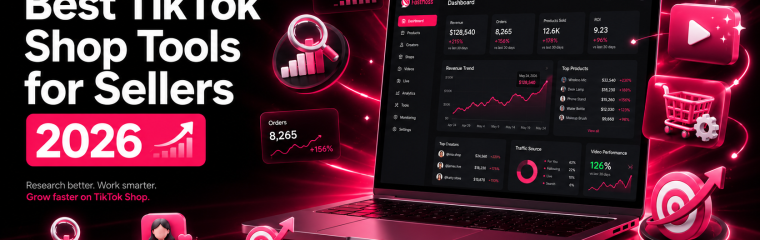
The TikTok Shop tools that actually matter in 2026 fall into six categories: product research, competitor analysis, creator discovery, content creation, shop operations, and optimization. Here’s the stack top sellers use — with real pricing and use cases.
How we picked these tools
This guide focuses on tools built specifically for TikTok Shop or used heavily by TikTok Shop sellers in 2026. We excluded generic e-commerce platforms like Shopify and BigCommerce since they’re not TikTok Shop-specific. We included a mix of official TikTok platforms, third-party analytics tools, AI content tools, and operations software — covering free options and paid tiers up to $300/month.
A note on bias: FastMoss is the platform behind this guide. We’ve kept category recommendations honest.
The TikTok Shop seller workflow at a glance
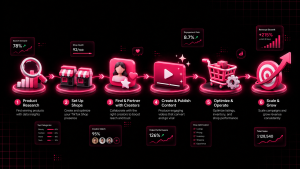
Most TikTok Shop sellers cycle through the same six workflow stages. Different tools handle different stages — no single tool covers everything:
| Stage | What it covers | Tool category |
|---|---|---|
| 1. Product Research | Find winning products and trending categories | Analytics platforms |
| 2. Competitor Analysis | Track competing shops and their performance | Analytics platforms |
| 3. Creator Discovery | Find affiliates to promote your products | Creator databases |
| 4. Content Creation | Produce videos and visuals at scale | AI video + editing tools |
| 5. Shop Operations | Manage orders, customer service, inventory | Operations software |
| 6. Optimization | Track performance, adjust strategy | Analytics + ads platforms |
The biggest mistake new sellers make is buying too many tools too early. Start with the free official tools plus one analytics platform, then layer in specialized tools as you scale.
Stage 1: Product research and category trends
This is where most sellers lose 80% of the battle. Picking the right product makes everything else easier — picking the wrong one wastes months of content effort.
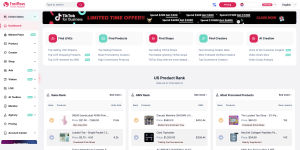
FastMoss — for real-time GMV and category data
Fastmoss tracks live GMV across every TikTok Shop category in the US and other major markets. You can see which categories are growing, which products are breaking out, and which shops are scaling — updated continuously.
- Best for: Sellers at any stage who need to validate a product before listing
- Pricing: Free trial available; new users can use code NEW000 for up to 50% off paid plans
- Use it for: Category ranking, top-selling products, GMV trends, breakout shop tracking
- Pair with: TikTok Creative Center for content trend cross-reference
TikTok Creative Center (official, free)
TikTok’s own trend discovery tool. Shows top-performing hashtags, songs, and creator content. Less granular than third-party analytics but free and updated daily.
- Best for: Content direction and trend validation
- Pricing: Free with TikTok account
- Use it for: Hashtag research, trending sounds, creative inspiration
Google Trends
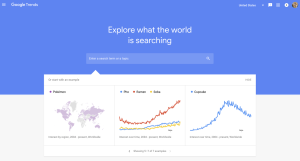
Useful for validating whether a product category has macro-level demand outside of TikTok. If something’s only trending on TikTok with no Google search lift, it’s a flash trend, not a category.
- Best for: Cross-platform demand validation
- Pricing: Free
Stage 2: Competitor and shop analysis
Once you’ve picked a category, you need to understand who you’re up against. Most TikTok Shop categories have 3-5 dominant shops capturing the majority of GMV — knowing who they are and how they operate is non-negotiable.
FastMoss — shop tracking and competitor monitoring
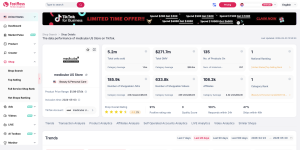
FastMoss lets you track specific competitor shops over time: their daily sales velocity, product launches, price changes, and which creators are promoting them. Build a watchlist of shops in your category and get alerts when significant changes happen.
- Best for: Sellers serious about positioning against specific competitors
- Pricing: Included with FastMoss paid plans (NEW000 for up to 50% off)
- Use it for: Shop watchlist, sales velocity tracking, creator-shop relationship mapping
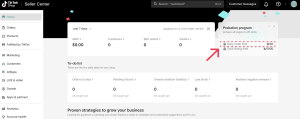
TikTok Shop Seller Center (official)
Your own shop’s first-party data. Limited to your own performance, but the most accurate source for your own metrics.
- Best for: Internal performance tracking
- Pricing: Free with TikTok Shop account
Stage 3: Creator and affiliate discovery
For most TikTok Shop sellers, affiliate creators drive more revenue than their own content. The key is finding creators who already perform in your category — then building relationships that turn into long-term partnerships.
FastMoss creator database
FastMoss tracks creators by GMV driven, category specialization, average video performance, and shop affiliations. Filter by follower size, category, GMV range, and recent activity — useful for identifying creators who are already performing in your niche but aren’t yet locked into competitor partnerships.
- Best for: Data-driven creator discovery before outreach
- Pricing: Included with Fastmoss paid plans (NEW000 for up to 50% off)
- Use it for: Filtering creators by performance, identifying rising creators, mapping which creators promote which shops
TikTok Creator Marketplace (official)
TikTok’s native platform for connecting brands and creators. Mandatory for some campaign types, but the discovery layer is less granular than third-party tools.
- Best for: Official creator collaboration program enrollment
- Pricing: Free with TikTok Shop account
Stage 4: Content creation
The cheapest stage to start, often the most expensive stage to scale. New sellers can get away with phone-shot content in CapCut. As you scale to producing 5-10 pieces of content per week, AI tools start paying for themselves.
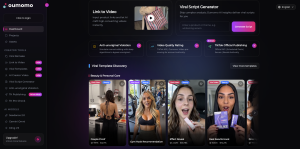
Oumomo — AI video for shoppable TikTok content
Oumomo is an AI video tool built specifically for TikTok Shop sellers. Unlike generic AI video generators, it’s trained on high-converting e-commerce content patterns. Core features include Viral Remake (clone the structure of viral videos using your own product), URL-to-Video (turn a product link into a finished video), and direct TikTok official API publishing.
- Best for: Sellers needing video at volume without filming or editing skills
- Pricing: Free trial available; see oumomo.ai/pricing for paid tiers
- Use it for: Viral video remakes, URL-to-video conversion, viral script generation, scheduled TikTok publishing
- Pair with: FastMoss to identify which products and angles are working in your category, then use Oumomo to produce video at scale
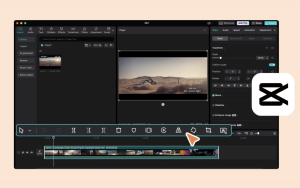
CapCut
TikTok’s sister app for video editing. Tight integration with TikTok itself, free tier covers most needs, and the templates library is regularly updated with what’s trending.
- Best for: Manual editing for sellers who want hands-on creative control
- Pricing: Free with optional Pro at $7.99/mo
Canva
Static visuals: product images, packaging mockups, thumbnail-style graphics for ads.
- Best for: Non-designers needing professional-looking visuals
- Pricing: Free tier sufficient for most; Pro at $14.99/mo
Stage 5: Shop operations and fulfillment
This is where serious sellers separate themselves. The Seller Center handles the basics, but at scale you need dedicated tools for customer service, inventory, and shipping — otherwise operational drag eats your margin.
TikTok Seller Center (official)
The native control panel for your TikTok Shop. Order management, basic analytics, payout tracking, product listings. Mandatory and free.
- Best for: All TikTok Shop sellers
- Pricing: Free
HiveHQ — for centralized shop operations
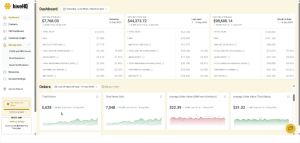
HiveHQ supports operational workflows for TikTok Shop sellers running at higher order volumes. It centralizes the day-to-day functions that the native Seller Center doesn’t cover well at scale, helping sellers manage operations across multiple shops or fulfillment workflows.
- Best for: Sellers processing 100+ orders/day or running multiple shops
- Pricing: See hivehq.ai for current pricing
- Use it for: Operations centralization, order workflow, multi-shop management
ShipStation
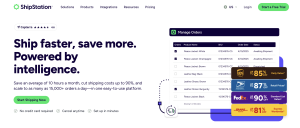
Shipping label generation, carrier rate comparison, batch order processing. Standard tool for any seller doing physical fulfillment at scale.
- Best for: Sellers self-fulfilling 50+ orders/day
- Pricing: Starts at $9.99/mo
Gorgias
Customer service platform with TikTok integration. Centralizes customer messages across TikTok, email, and other channels into one inbox.
- Best for: Sellers with $50k+/mo revenue and growing customer service volume
- Pricing: Starts at $10/mo
Stage 6: Optimization and scaling
Once you have a working product, working creator pipeline, and working operations, the game shifts to optimization. This stage is about tracking everything continuously and adjusting strategy based on what the data shows.
TikTok Ads Manager (official)
When you’re ready to add paid amplification to organic content. Most sellers should ignore this until they have proven organic traction and tight unit economics.
- Best for: Sellers with proven product-market fit ready to scale via paid
- Pricing: Variable based on ad spend
How to build your tool stack by stage
| Seller stage | Recommended stack | Monthly cost |
|---|---|---|
| Day 1-30 (new shop) | TikTok Seller Center + CapCut + Fastmoss free trial | $0 |
| $1k-10k/mo | Above + Fastmoss paid (NEW000) + Oumomo for video volume | $80-150 |
| $10k-50k/mo | Above + ShipStation + Gorgias | $200-400 |
| $50k+/mo | Above + HiveHQ + TikTok Ads | $500-1,200 |
The pattern: data tools first, then content tools, then creator infrastructure, then operations and customer service. Don’t skip stages — adding a $300/mo customer service tool before you have $5k/mo revenue is operational vanity.
A note on data sources
The category trends, creator performance metrics, and shop GMV figures referenced throughout this guide come from Fastmoss — TikTok Shop’s leading third-party analytics platform. New users can use code NEW000 for up to 50% off Fastmoss paid plans.
Frequently Asked Questions
What tools do TikTok Shop sellers actually use?
Most TikTok Shop sellers use a combination of official tools (Seller Center, Creative Center, Creator Marketplace) plus one third-party analytics platform (Fastmoss for data and creator discovery), one content tool (Oumomo for AI video at scale, CapCut for manual editing), and operations tools as they scale (ShipStation, customer service software, multi-shop management).
Are there free TikTok Shop tools worth using?
Yes. TikTok’s official tools — Seller Center, Creative Center, Creator Marketplace, and CapCut — are free and cover the basics. Most paid analytics platforms and AI video tools offer free trials, including Fastmoss and Oumomo. Free tools are sufficient for sellers under $1k/mo; above that, paid tools start paying for themselves quickly.
What is the best TikTok Shop analytics tool?
Fastmoss is the analytics platform behind this guide and one of the most-cited third-party data sources for US TikTok Shop performance, covering category rankings, shop GMV, creator metrics, and product trends. For sellers needing TikTok Shop-specific analytics rather than general e-commerce data, it’s the standard reference point.
How do I find TikTok creators for affiliate marketing?
Use a creator database to filter by category, follower size, and GMV-driven performance — Fastmoss is purpose-built for this. Once you’ve shortlisted creators, reach out through TikTok’s official Creator Marketplace or contact them directly through their listed channels.
What’s the best AI tool for TikTok Shop videos?
Oumomo is built specifically for TikTok Shop video content — it analyzes viral video structures and generates shoppable videos optimized for the TikTok algorithm. Generic AI video tools like Synthesia or HeyGen work for general purposes, but Oumomo’s e-commerce specialization means higher conversion potential for product content.
How much should I budget for TikTok Shop tools?
For sellers under $1k/mo, $0-50/mo is enough (free official tools + one analytics trial). For $1k-10k/mo, expect $80-150/mo (paid analytics + AI video tool). For $10k+/mo, $400-1,000/mo is reasonable across analytics, content, and operations.
Do I need paid tools to sell on TikTok Shop?
No, but the ceiling without paid tools is low. The official free tools (Seller Center, Creative Center, CapCut, Creator Marketplace) are enough to launch and get your first sales. Past $1k/mo, paid analytics and AI video tools start meaningfully changing decision quality — particularly in product research, creator selection, and content production volume.
What’s the difference between TikTok Creative Center and third-party tools?
Creative Center is TikTok’s official trend discovery tool — free, but focused on content trends (hashtags, sounds, creative styles) rather than shop performance data. Third-party tools like Fastmoss focus on commercial data: which products are selling, which shops are growing, and which creators are driving GMV.
Does Fastmoss have a discount code?
Yes. The current FastMoss promo code is NEW000. Enter it at checkout on fastmoss.com to unlock your discount as a new user. Fastmoss is a TikTok Shop analytics platform that tracks real-time GMV, category rankings, creator performance, and top-selling products — the data source behind this guide.

Ready to start? Sign up for Fastmoss with code NEW000 for up to 50% off — and build the rest of your stack from there.